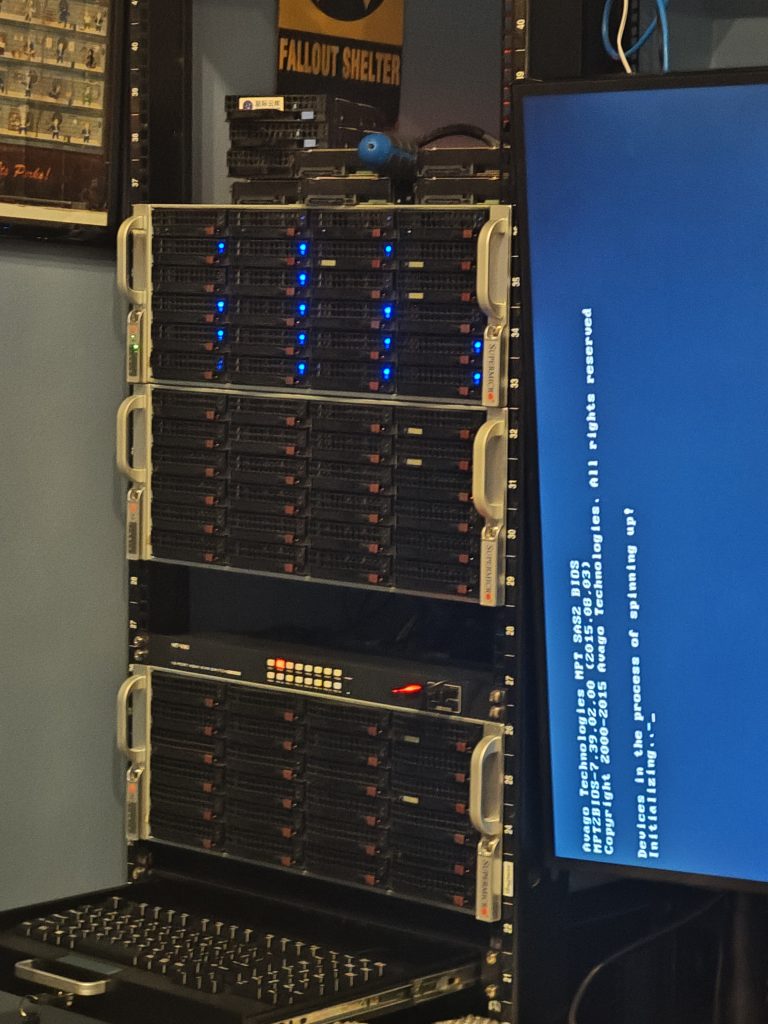
I mounted my third Super Micro 4U chassis, as well as a KVM switch and a 1U drawer for a keyboard. And a monitor!
Before you say anything about the monitor not being oriented correctly, I’d just installed it and was more focused on getting the OS configured, then I’ll go back and set up a proper orientation. The top and bottom boxes are full on servers, but the middle one is just going to be a JBOD or Just a Bunch Of Disks at some point, whenever I run out of space on the main storage node and feel like buying the parts to expand it.
What Operating Systems am I going with?

For NAS (Network Attached Storage) I’ll mainly be using TrueNAS Community Edition because, honestly, it has the prettiest interface and the capacity to install apps if needed. I’m also going to be running it in a VM, which is a debated decision. I know that ZFS shares can be managed within a hypervisor, but I’d rather leave that interface (for the most part) unmodified just in case I encounter any issues and need to roll back I don’t have to worry about losing anything or forgetting to configure something. I can literally just install this VM and point it at my shares.

Proxmox is my hypervisor of choice
Proxmox! My beloved! 💕Seriously, from the first time I saw a video tour of a Proxmox system until now, there have been no other options for me. My servers are Proxmox nodes first and whatever they’re meant to be doing second. The ease of use, the multiple methods of control, the amazing and growing community of users. There isn’t much not to love about Proxmox. Even though I know you can do most of what it does with just Debian (which is what Proxmox is at the core) and even after any issues I’ve had with it, I have to say I don’t plan on switching to anything else.


Docker is great for containerization Portainer is great for controlling them
I love using Docker. More specifically, Docker Compose. I like Docker Compose because you just have to type up a text file with all your containers in it and they can run and be edited fairly easily. Not to mention you can copy the file and save it to pretty much anything that can store a text file. Currently on node 2 in my rack (as ordered by importance, not physical order) I have the VM of TrueNAS along with a Portainer container. Portainer is just a service that lets you spin up, spin down and view your containers. Sure, there are other services out there, but this is what I have experience with, it’s free and it’s what I like to use.
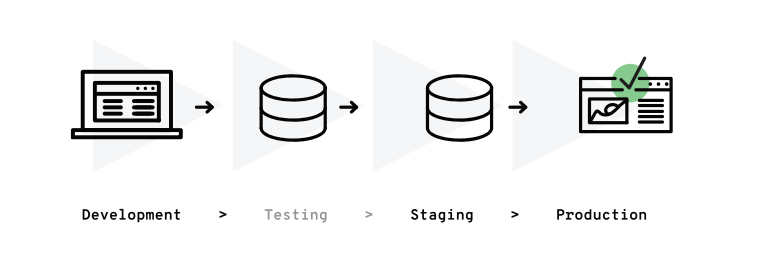
Dev to production workflow for my lab Diagram provided by devmio
How I’ve been using my lab: my lab is currently setup in one Proxmox cluster, but that’s subject to change at a moment’s notice. I’ve learned to accept it, it is what it is. How I structure my nodes are by development/experimental and production. My main node was originally just a Threadripper gaming PC (saying “just” here feels funny) but I decided to get more use out of it. To quote Logan of Tek Syndicate: “How many computers do you want inside your computer?” I felt like with all that hardware available I was leaving opportunities just sitting on the table.
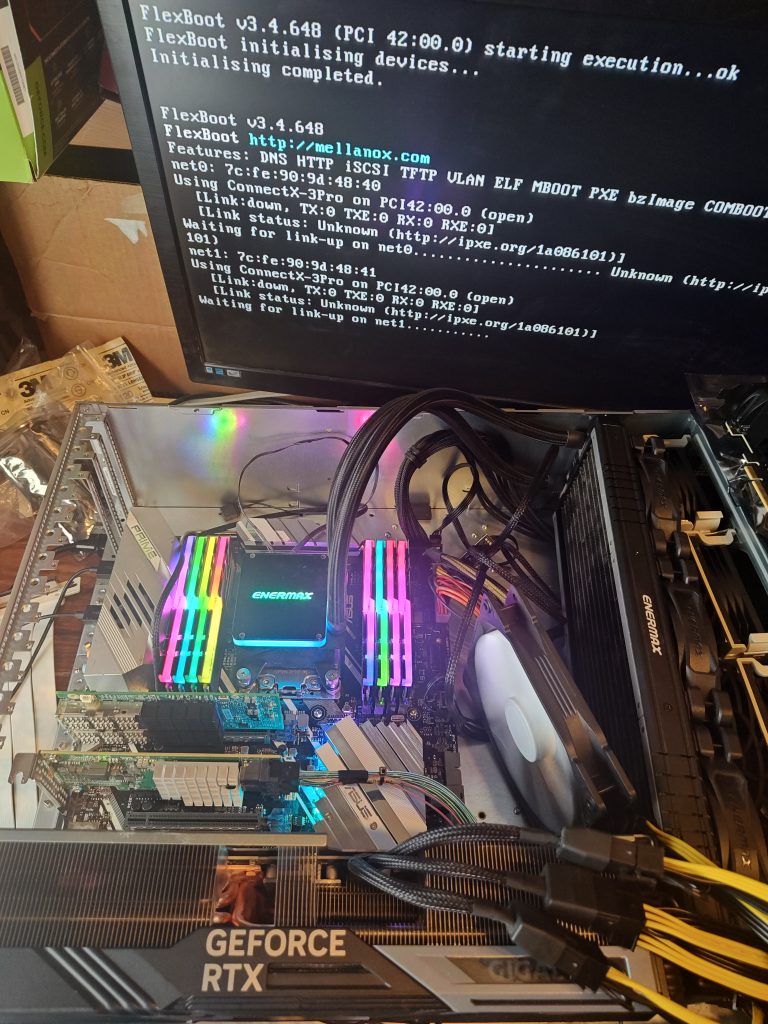
First boot vs completely cable managed and ready for the rack
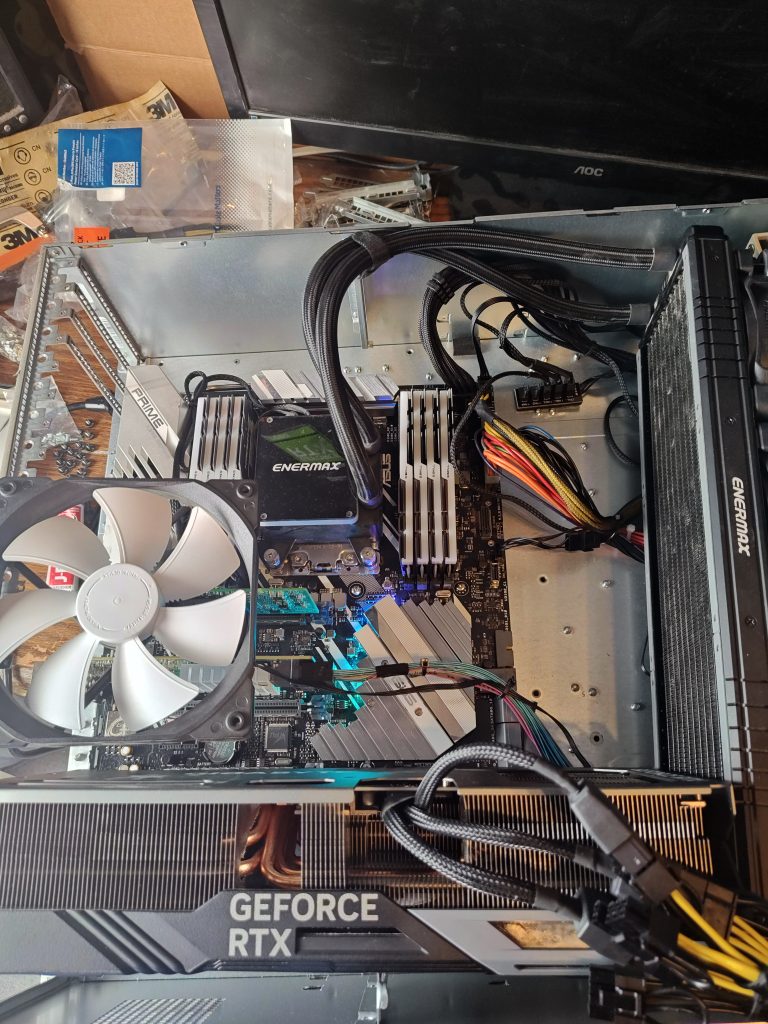
I realize that I’m not doing myself any favors by not having the lid on my Super Micro chassis, and the fans aren’t going to be moving air like they should, but I was was being overly optimistic with my thoughts on fitting an RTX 4080 Super graphics card into the chassis. But I already had this hardware and this is where we are. Again, the plan is to play with services and Unix distros on this box and move them to my dedicated “production” node at some point.
My main desktop has been an Arch VM, but I can try out many Linux distros, BSD, etc.
At one point this box had Windows 10 and 11 on it, but as I had to reformat my disk anyway (from and installation error on my part) I just made the switch to Linux. I’ve made multiple Arch VMs and and I like being able to try out different distros on the fly. Thanks to Digital Spaceport for his video of his virtualized desktop to make me decide to take the plunge!
I wanted another system for a NAS and had a 1900X sitting around so…
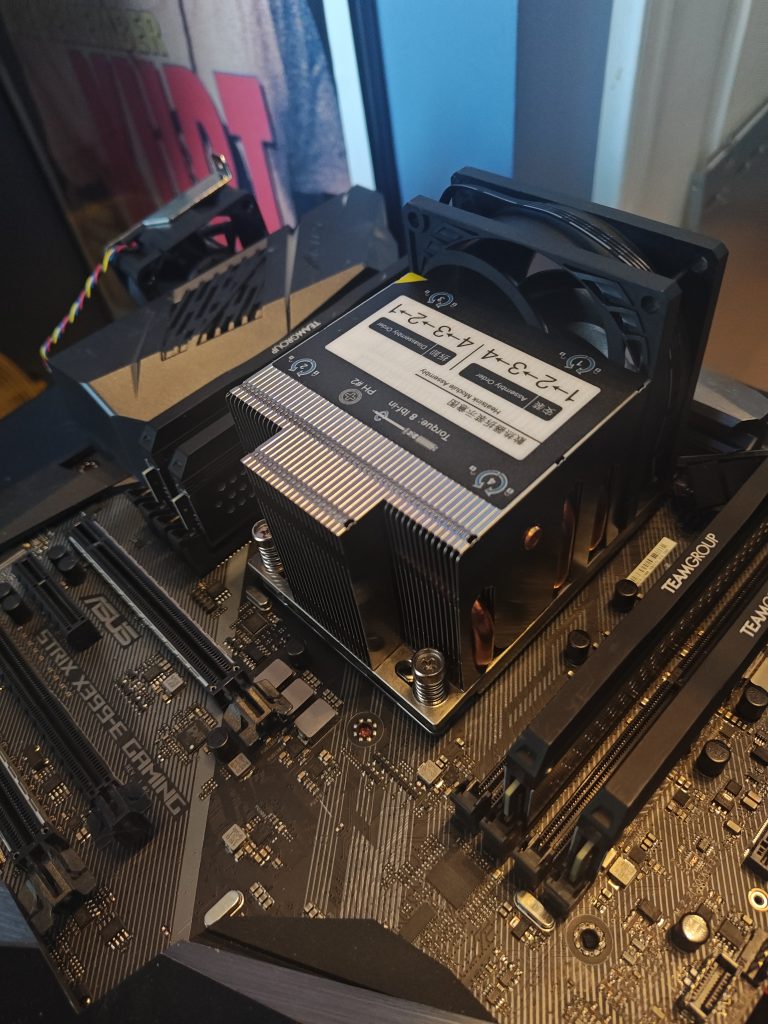
I bought a ridiculously cheap Epyc heatsink and stuck it on my original motherboard and my old 1900X CPU. I wanted to swap the newer motherboard I bought to the 2950X because it has more 16x PCIE slots. The fan on the heatsink was an industrial one and very loud so I used a spare case fan I had for the hard drives until I got a replacement Silverstone fan of the right size. The 2950X had a custom loop when it was in the tower style case, and I did not want to mess with that so I just slapped on the old AIO liquid cooler I bought way back when, but those have received quite a few complaints and I myself had issues running my RAM at XMP mode so that’s why I went to custom loop. I mean, other than just to try it. But the heat and noise being generated by node 2 with an air cooler is making me consider switching node 1 to air as well.
One trip to eBay later
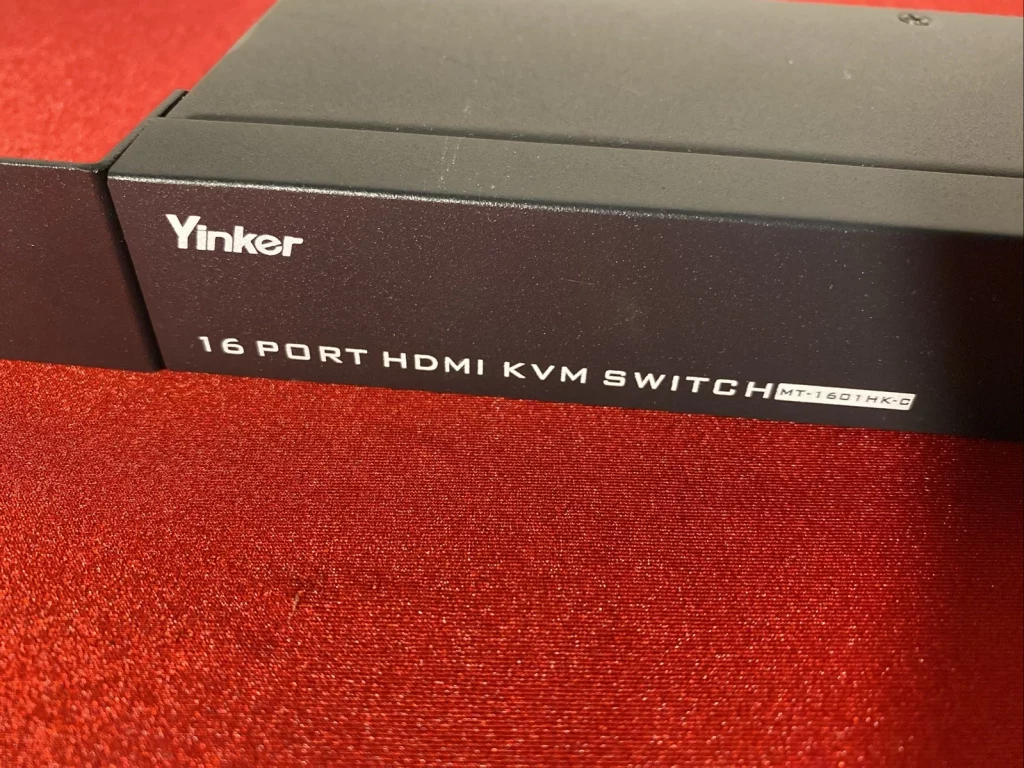
I wanted a KVM for quick, direct output from nodes. The main problem is that most rack mount KVMs are usually VGA, limited to 8 ports or every expensive. This would be fine if I was using enterprise motherboards that usually just have VGA, but I’ll be using consumer grade motherboards and graphic cards which mostly have HDMI and Displayport these days. So I took a chance on an $80 HDMI KVM switch with no power or ANY cables. I luckily had a power adapter that worked and I was able to buy some USB and HDMI cables in bulk for a reasonable price. The only thing it didn’t come with was a cable connected switch to change outputs, but that feels like more of a desktop feature to me and if I’m at the rack anyway I’ll just use the buttons on the front.
When summertime temps rise, some ingenuity is required
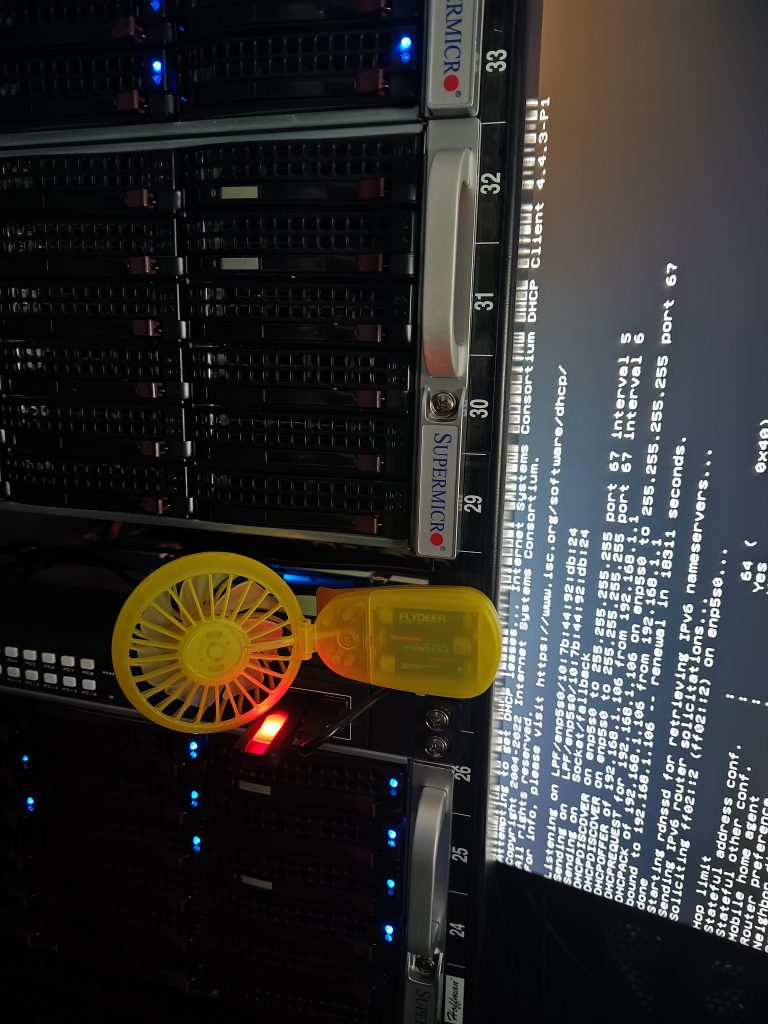
I have more plans for this stuff and more things to play with, so I’ll be sure to post updates as I go! Stay tuned for more!
Leave a Reply